
Designspace
We recommend spending some time with setting up your designspace properly (but it’s not a problem to modify the designspace after the design started as well). Questions you may ask yourself before you start with a new typeface:
- What axes do your font project will end up with?
- Registered axes like Weight, Width, Italic, Optical size
- or even a non-registered axes (all uppercase tags)
- What ranges will these axes have?
- maybe Weight from 100 to 900 (Thin to Black)
- maybe Width from 75 to 150 (Condensed to Wide)
- Do you plan to have Italics?
- Are the Italics real Italics (maybe use Axis Type Discrete)
- or are they interpolatable with the uprights, like Slanted? (maybe use Axis Type Continuous)
- Which font instances are you planning to have?
- Which font sources are required for this designspace?
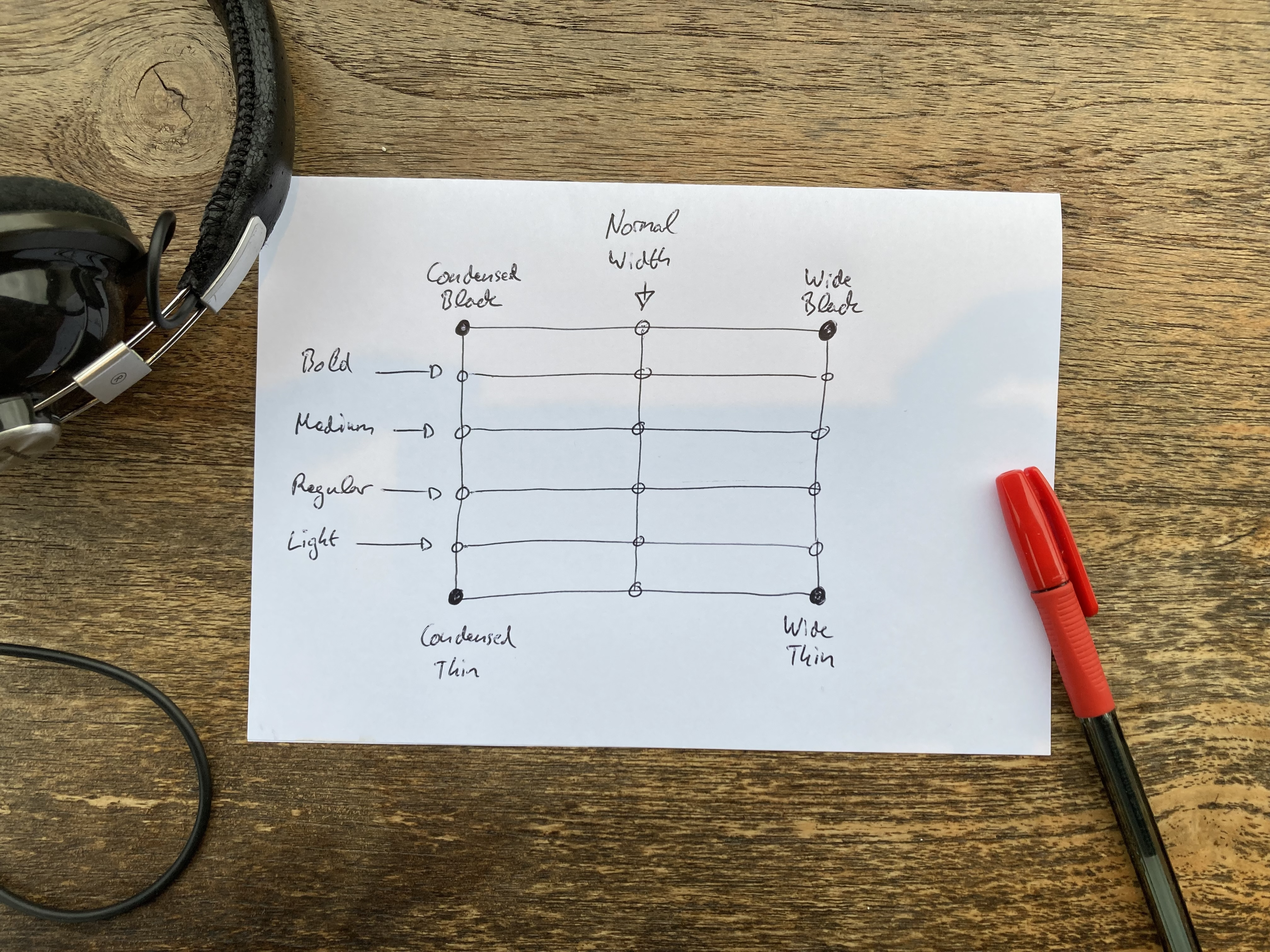
Example:
Let’s imagine we want to create a typeface with the following axes:
- Weight 100 to 900
- Width 75 to 150
Minimum of font sources required:
- Condensed Thin
- Condensed Black
- Wide Thin
- Wide Black
(But keep in mind that you may need also intermediate sources to tweak the design somewhere in between.)
Number of font instances planned:
- Condensed Thin (width: 75, weight: 100)
- Condensed Light
- Condensed Regular (width: 75, weight: 400)
- Condensed Medium
- Condensed Bold
- Condensed Black (width: 75, weight: 900)
- Thin (width: 100, weight: 100)
- Light
- Regular (width: 100, weight: 400)
- Medium
- Bold
- Black (width: 100, weight: 900)
- Wide Thin (width: 150, weight: 100)
- Wide Light
- Wide Regular (width: 150, weight: 400)
- Wide Medium
- Wide Bold
- Wide Black (width: 150, weight: 900)
Once you have sketched out your designspace, you’re ready to create your font axes.
Links
Improve this page on GitHub
· This documentation is licensed under CC BY 4.0
· Built 2026-10-27