
Workspace overview
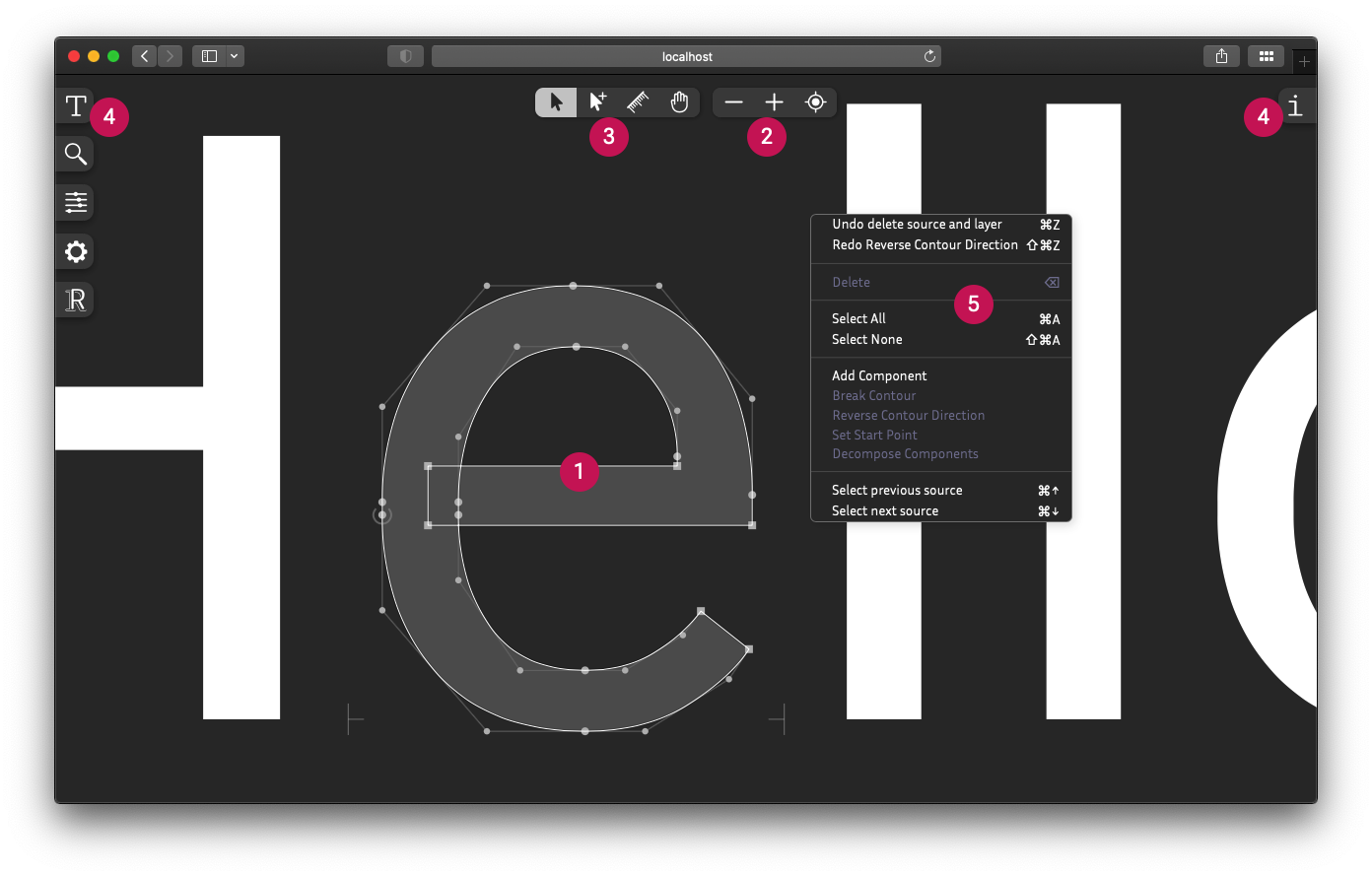
| # | Item | Description |
|---|---|---|
| 1 | Canvas | The canvas is where both font previewing and glyph editing take place. |
| 2 | Navigation | Navigation tools allow you to zoom in/out and move around in the canvas. |
| 3 | Tools | Interactive tools allow you to edit and measure glyphs with live visual feedback. |
| 4 | Panels | Panels provide various tools to control Fontra's workspace and the font's designspace. |
| 5 | Context menu | The context menu gives access to functions specific to the current selection. |
Improve this page on GitHub
· This documentation is licensed under CC BY 4.0
· Built 2026-10-27